Mastering the Planner Etsy Listings Mockup: Elevate Your Digital Product Storefront
When a potential buyer browses Etsy for planners, the first thing they see is the thumbnail image. That single visual often determines whether they click through or scroll past. For sellers of digital and physical planners, the Planner Etsy Listings Mockup has become an essential tool for capturing attention and conveying value. A well-executed mockup does more than just show the product—it tells a story, sets expectations, and builds the trust needed to drive a purchase.
Yet many sellers struggle to create mockups that stand out in a saturated marketplace. The difference between a flat, uninspired listing and one that feels immersive often comes down to how the mockup is designed and used. Understanding the nuances of a good planner mockup can transform a listing from forgettable to compelling.
Why Visual Presentation Can Make or Break Your Planner Sale
Etsy is a visual platform, and planners are especially detail-oriented products. Customers want to see the layout, the color scheme, the binding, and how the pages look in use. A generic product photo often fails to communicate these details. A thoughtfully designed Planner Etsy Listings Mockup bridges the gap between a digital file or a physical object and the customer’s imagination.
For digital planner sellers, the mockup serves as the sole visual representation before download. It must show the planner on a device like a tablet or iPad, often with a stylus, to suggest functionality. For physical planners, lifestyle mockups that place the planner in a real environment—on a desk, in a bag, next to a coffee cup—help the buyer envision owning it. This emotional connection is critical for conversion.
Moreover, Etsy’s search algorithm rewards listings with high-quality images. Listings that feature clear, well-composed mockups tend to have better click-through rates and longer view times, which can positively influence rankings. Investing time in a proper planner mockup is not just aesthetic—it’s a strategic SEO and marketing move.
Exploring Different Mockup Styles for Planner Listings
Not all planner mockups are created equal. Depending on your product type and target audience, you may choose among several styles:
- Lifestyle mockups – These place the planner in an aspirational setting: a sunlit desk, a cozy reading nook, or a busy professional workspace. They create an emotional narrative and help the buyer imagine the planner as part of their daily routine.
- Flat lay mockups – A top-down view that often includes complementary items like pens, stickers, washi tape, or a laptop. Flat lays are popular on Etsy because they allow the planner to be the hero while still showing context.
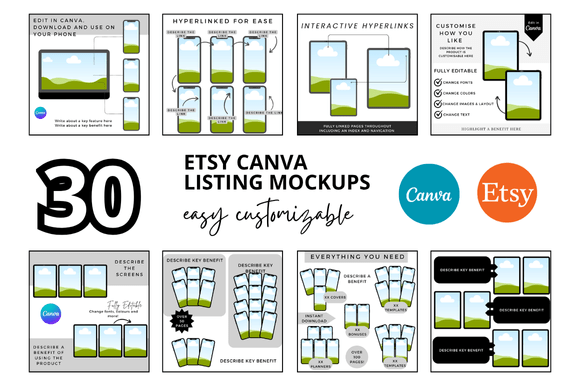
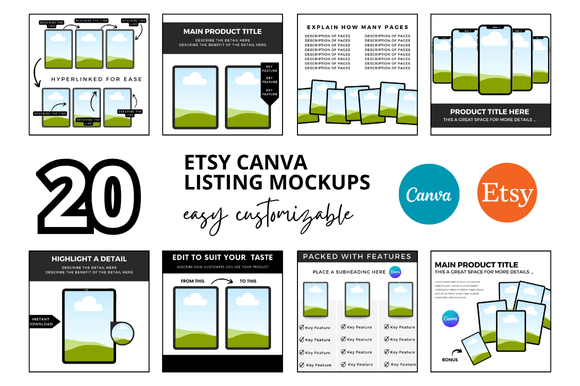
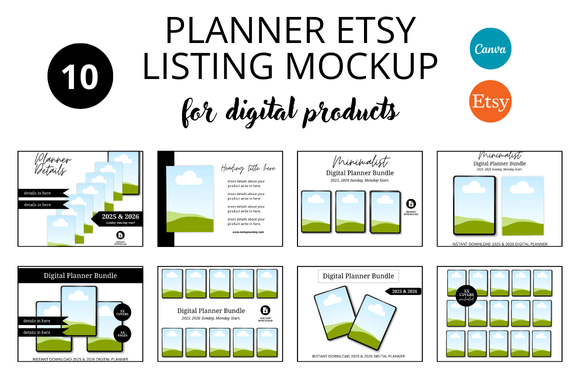
- Device screen mockups – Essential for digital planners sold as PDFs or for apps. These show the planner displayed on a tablet, phone, or computer monitor, often with a hand holding a stylus to indicate interactivity.
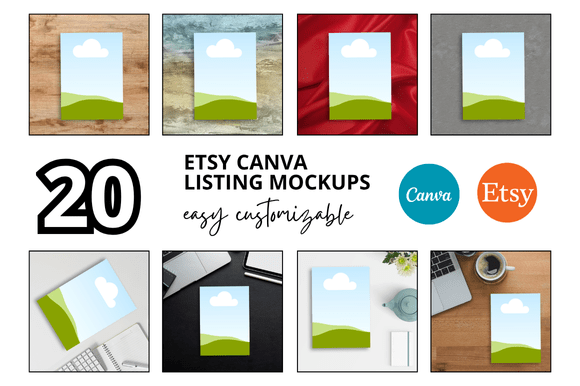
- Isolated product mockups – Simple, clean images of the planner alone on a white or transparent background. These are useful for the second or third image in a listing to show the cover or interior pages clearly without distractions.
- Mockups with interior page spreads – Showing the open planner with visible content like weekly spreads, monthly calendars, or habit trackers. This is especially important for planner buyers who want to see the actual layout.
The key is to select the style that best communicates the planner’s unique selling points. A minimalist productivity planner may benefit from a clean flat lay, while a creative bullet journal might shine in a vibrant lifestyle shot.
Crafting a Mockup That Converts: Practical Techniques
Creating a high-performing Planner Etsy Listings Mockup involves more than just inserting your design into a template. Here are practical techniques that experienced sellers use:
- Maintain consistent branding – Use the same color palette, fonts, and mood across all your mockups. This builds recognition and makes your shop look professional.
- Focus on lighting and shadows – Realistic shadows and natural lighting make mockups appear genuine rather than overly staged. Subtle gradients and soft shadows add depth.
- Show multiple angles – Include a front cover view, an open interior view, and a detail shot. This reduces uncertainty and answers common questions before the buyer has to ask.
- Incorporate human elements – Hands holding a planner or writing in it create a sense of scale and use. This is especially effective for digital planner mockups where the hand shows touch interaction.
- Optimize for mobile viewing – A large percentage of Etsy browsing happens on phones. Ensure your mockup is legible and striking even at thumbnail size. Bold colors and clear focal points help.
- Use mockup templates wisely – While premade templates save time, customize them to avoid looking generic. Change backgrounds, props, and poses to reflect your planner’s niche.
Real-World Use Cases Across Different Planner Niches
The versatility of a planner mockup becomes apparent when you consider the diverse niches on Etsy. A teacher planning a semester needs a different visual story than a wedding planner organizing a big event. Each niche benefits from tailored mockup choices.
For academic planners, mockups that include a desk with textbooks, a laptop, and a coffee mug resonate with students. The mockup should convey productivity and organization. For health and wellness planners, lifestyle images with yoga mats, water bottles, and natural light evoke a calm, mindful vibe. Business planners for entrepreneurs do well with mockups showing a sleek desk setup, a smartphone, and a planner with clean lines.
Digital planner sellers also have distinct needs. A digital planner for GoodNotes or Notability on iPad requires a mockup that clearly shows the app interface, the pen tool, and perhaps a split-screen view. Including a stylus in the mockup immediately communicates compatibility with popular digital note-taking apps.
Seasonal planning mockups also matter. A Christmas-themed planner should be shown in a cozy holiday setting, while a spring gardening planner might feature a patio table with fresh flowers. Adapting mockups to the season and audience keeps listings fresh and relevant.
Tools and Workflows for Creating Planner Mockups
You don’t need to be a professional graphic designer to create effective mockups. Several tools and workflows cater to different skill levels:
- Smartmockups and Placeit – Browser-based platforms with thousands of mockup templates. You upload your planner design, and the tool places it into a realistic scene. These are excellent for beginners.
- Adobe Photoshop and Procreate – For those comfortable with design software, these offer complete control over lighting, layer styling, and custom props. You can create mockups from scratch or edit templates.
- Canva – A user-friendly option with drag-and-drop functionality. Canva has many planner mockup templates that can be customized with text, colors, and backgrounds. It’s great for quick turnaround.
- Custom photography – For physical planners, taking your own photos with a good camera or smartphone can produce authentic mockups. Use natural light and simple props. This method is time-consuming but yields unique results.
A typical workflow might start with selecting a mockup template, inserting your planner cover and interior pages using smart objects, adjusting shadows, and then exporting high-resolution images for Etsy. Many sellers create a set of 4–6 mockups for each listing to cover different views and contexts.
Common Mistakes to Avoid When Showcasing Planners
Even with the best tools, some pitfalls can undermine the effectiveness of a Planner Etsy Listings Mockup. Avoiding these will improve your listing’s performance:
- Overcrowding the mockup – Too many props or distracting background elements can take attention away from the planner. Keep the focus on the product.
- Using low resolution images – Blurry or pixelated mockups look unprofessional and raise doubts about the product quality. Always export at least 2000px on the longest side.
- Ignoring the correct aspect ratio – Etsy’s listing images are typically square or vertical. A mockup that doesn’t fit the dimensions may be cropped awkwardly in search results.
- Showing inconsistent interior layouts – If the mockup shows a weekly spread, make sure that spread actually exists in your planner. Misleading mockups lead to disappointed customers and returns.
- Failing to update mockups for new designs – Reusing the same mockup for different planners can confuse buyers. Each listing should have a mockup that represents that specific planner accurately.
Building Brand Trust Through Consistency and Authenticity
Trust is a critical factor in Etsy transactions, especially for digital products where buyers cannot touch the item before purchase. A series of well-crafted mockups across your shop creates a professional brand identity. When a buyer sees consistent visual quality, they are more likely to perceive the seller as reliable and knowledgeable.
Authenticity also plays a role. Overly polished mockups that look nothing like the actual product can backfire. Including a mockup that shows the planner in use—with a hand writing in it or with a slight notebook bend—adds realism. For digital planners, a screenshot of the planner on a device, even if not perfectly staged, can be more convincing than a hyper-staged image.
Adapting Mockups for Seasonal Campaigns and Trends
The planner market on Etsy fluctuates with seasons and trends. Back-to-school season, New Year resolution planning, and holiday gift shopping are peak periods. Updating your Planner Etsy Listings Mockup to reflect seasonal colors and motifs can capture timely search traffic.
For example, a 2025 planner listed in December should have mockups that feel festive and forward-looking. Including a mockup with a “New Year Goals” spread or a countdown calendar appeals to buyers planning ahead. Similarly, a floral-themed spring planner benefits from mockups with pastel backgrounds, flowers, and light textures.
Trends like minimalism, maximalism, or sustainability also influence mockup design. A planner aimed at eco-conscious consumers might be shown with recycled paper textures, or on a wooden desk with a plant. Keeping an eye on visual trends in interior design and lifestyle photography helps keep your mockups current.
Measuring the Impact of Your Mockup Choices
Ultimately, the goal of any mockup is to increase conversion. Sellers can gauge effectiveness by monitoring a few key metrics:
- Click-through rate (CTR) – Compare the CTR of listings with different mockup styles. A/B testing thumbnails can reveal which approach attracts more clicks.
- Time on listing page – If buyers spend longer viewing your listing, the mockups may be holding their interest. High-quality images encourage scrolling.
- Add-to-cart rate – A strong mockup that clearly shows the planner’s features can boost the number of buyers adding it to their cart.
- Customer feedback – Reviews sometimes mention that the product looked exactly like the pictures. Positive comments on accuracy reinforce the value of truthful mockups.
By continuously refining your mockup strategy—adjusting backgrounds, props, lighting, and composition—you can adapt to what resonates with your audience. The planner niche on Etsy is competitive, but a deliberate approach to visual presentation gives sellers a significant edge.