Bookmark Etsy Listings Mockup Guide
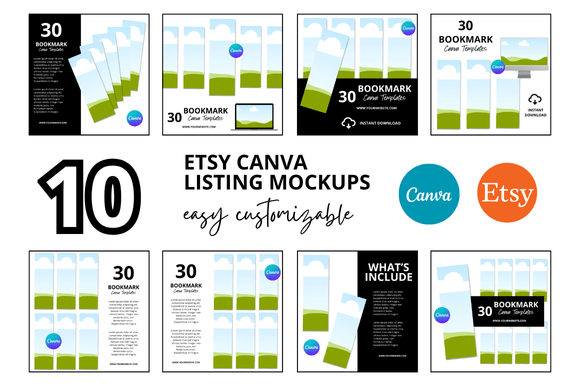
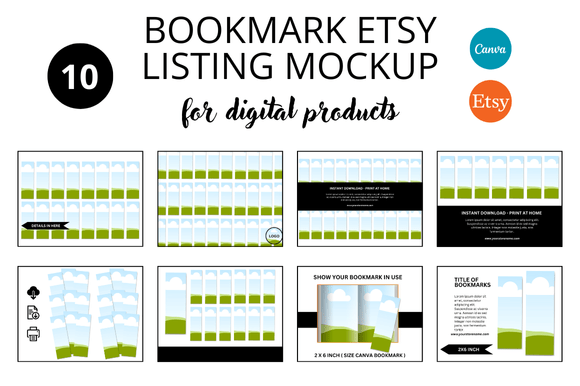
If you sell or plan to sell bookmarks on Etsy, you have probably wondered how to make your listings stand out. A Bookmark Etsy Listings Mockup is a visual preview that shows what your bookmark design looks like in a realistic setting. Instead of a flat digital file, you present your bookmark placed on a desk, inside a book, or held by someone. This approach helps buyers imagine the product in their own hands and makes your shop feel more professional.
Many Etsy sellers start with simple product shots taken on their phone. While that can work, a well-made mockup does much more. It communicates quality, attention to detail, and a clear sense of what the buyer will receive. For bookmarks especially, context matters. A bookmark resting on an open page or next to a cup of tea tells a story. That story can be the difference between a casual browser and someone who clicks "Add to Cart."
What a Bookmark Etsy Listings Mockup Really Does
At its core, a mockup is a template or image file that lets you place your artwork into a pre-designed scene. You do not need to be a photographer or own fancy props. You simply drop your design into a smart layer, and the mockup generates a lifelike image. Some mockups are static, while others allow you to adjust lighting, shadows, or background colors.
The main purpose is to show your bookmark in use. A listing with only a flat image of the bookmark can feel abstract. A mockup adds depth, scale, and emotion. It answers questions like: How big is this bookmark? Will it look good on my nightstand? Does the design pop against a real background? These are small details, but they matter enormously when someone is deciding whether to buy.
Beyond aesthetics, mockups also save time. Instead of staging and photographing each bookmark variation, you can create dozens of listing images in minutes. That efficiency is especially valuable if you run a shop with many designs or if you are a beginner learning the ropes of Etsy.
Why You Might Want One for Your Shop
There are several common situations where a Bookmark Etsy Listings Mockup becomes a practical tool.
You Are Just Starting Out
As a new seller, you may not have a large budget for professional photography. Mockups give you a polished look without the expense. They also help you learn what works visually. You can experiment with different backgrounds, angles, and compositions until you find a style that feels right for your brand.
You Have a Growing Catalog
If you already have a handful of bookmark designs, you know how time-consuming it is to photograph each one. A mockup lets you batch-create listing images. Once you set up a scene you like, you can reuse it for every new design. This consistency also helps your shop look cohesive, which builds trust with buyers.
You Want to Improve Conversion
Etsy is a visual marketplace. Shoppers scroll quickly, and they decide in seconds whether to click. A mockup that clearly shows your bookmark in a real or appealing setting can increase click-through rates. It also reduces the chance of returns or disappointment, because the buyer already has a realistic expectation of what they will receive.
Where and How to Use Mockups Creatively
Mockups are not limited to just the main listing photo. You can use them in several places to reinforce your message.
- Primary listing image: This is the first photo buyers see in search results. A strong mockup here can make your thumbnail stand out among competitors.
- Additional listing photos: Etsy allows multiple images. Use different mockup angles to show the bookmark from the front, at an angle, or in a stack. This gives a fuller picture.
- Social media and marketing: Mockups work well on Instagram, Pinterest, or your own website. They present a polished look that fits nicely with lifestyle content.
- Pinterest pins: Vertical images perform best on Pinterest. A bookmark mockup in a book scene is naturally vertical and highly pin-worthy.
- Print-on-demand previews: If you use print-on-demand services, mockups help you preview how the design will look before you order a sample.
Beyond Etsy, you might use mockups in an online portfolio, a digital product bundle, or even a small email campaign. The same image that sells a bookmark can also promote your brand.
Realistic Use Cases for Different Creators
Let us walk through a few scenarios that show how different people benefit from bookmark mockups.
A hobbyist who sells hand-drawn designs: Emma draws whimsical floral bookmarks in her sketchbook. She scans them and cleans them up digitally. Instead of taking photos of each physical bookmark, she uses a mockup that shows her design resting on a vintage book. The mockup gives her shop a cozy, artistic feel without requiring a photo studio.
A small business owner who sells printable bookmarks: Marcus runs a shop that sells digital bookmark files for customers to print at home. He uses mockups to show the finished product in use. This helps buyers understand the scale and color quality before they download. It also reduces the number of questions about size and appearance.
A teacher or educator creating classroom resources: Sara makes reading trackers and bookmarks for teachers. She uses mockups to show how her bookmarks look on a classroom desk or inside a textbook. The realistic setting helps educators see the practical value for their students.
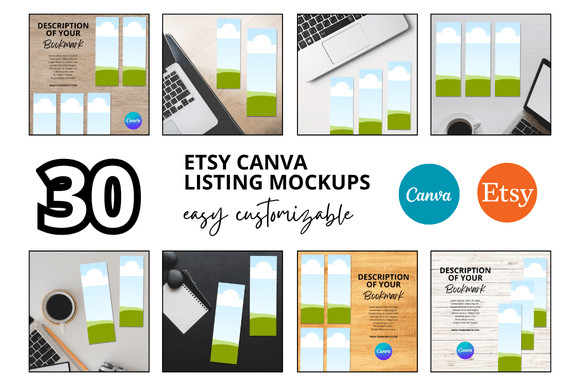
A marketer promoting a reading challenge: Jordan runs a small publishing blog and sells branded bookmarks. Mockups let him create promotional images that feel authentic. He can place a bookmark next to a coffee mug and a stack of books, which resonates with his audience of passionate readers.
Important Things to Consider Before Choosing a Mockup
Not all mockups are created equal, and a few factors can make a big difference in how your listing performs.
Resolution and Image Quality
Etsy compresses images, but you still want a high-resolution file. Look for mockups that output at least 2000 pixels on the longest side. This ensures your listing looks sharp on both desktop and mobile. Blurry or pixelated images can make your shop seem amateur.
Customization Options
Some mockups let you change the background color, adjust shadows, or move elements. Others are fixed. If you plan to use the same mockup for many designs, flexibility helps. You can keep your listing fresh by changing the background or adding small props without creating a whole new scene.
Licensing and Usage Rights
Always check what you can do with a mockup file. Most mockups for Etsy sellers come with a commercial license, meaning you can use the generated images in your product listings. But some have restrictions, especially if you are reselling the mockup itself as a digital product. Read the terms carefully.
File Format and Software
Most mockups are designed for Adobe Photoshop and come as PSD files with smart layers. If you do not have Photoshop, look for mockups that work with Canva, GIMP, or other tools. There are also browser-based mockup generators that do not require any software installation. Choose what fits your workflow.
Relevance to Your Audience
A mockup should match the mood of your brand. A rustic wooden table scene works well for vintage or nature-themed bookmarks. A bright, clean desk suits minimal or modern designs. Think about who your buyer is and what setting would feel natural to them. A mockup that feels forced or out of place can hurt rather than help.
Practical First Steps for Beginners
If you are new to mockups, start simple. Find one or two free or low-cost bookmark mockups that match your style. Upload one of your designs and see how it looks. Pay attention to how the colors render and whether the scale feels right. You might need to adjust the brightness or contrast of your design to match the mockup lighting.
Once you have a mockup you like, use it for your main listing image and one additional photo. Then compare your shop performance before and after. Many sellers notice an increase in views and saves once they switch to mockup images. The reason is simple: the visual story is clearer.
As you grow, consider creating a small set of mockup scenes. Having two or three different backgrounds gives you options without overwhelming your shop. You can rotate them seasonally or use different angles for different design categories.
Keeping Your Listings Fresh Over Time
Etsy rewards shops that are active and update their listings. Even if your bookmark designs stay the same, refreshing your mockup images can give your shop a new look. Try a different background color, a new prop, or a different angle. Small changes signal to both buyers and the algorithm that your shop is current.
If you notice a particular design is not selling well, try updating its mockup before changing the design itself. Sometimes the issue is not the artwork but how it is presented. A more inviting scene can make a good design finally find its audience.
Bookmark mockups are not just a nice extra. They are a practical tool that bridges the gap between your digital design and a buyer's real life. Whether you are a beginner testing the waters or an experienced seller looking to streamline your workflow, a thoughtful mockup can make your listings more effective and your shop more trustworthy. Start with one design, see how it feels, and build from there. The results often speak for themselves.